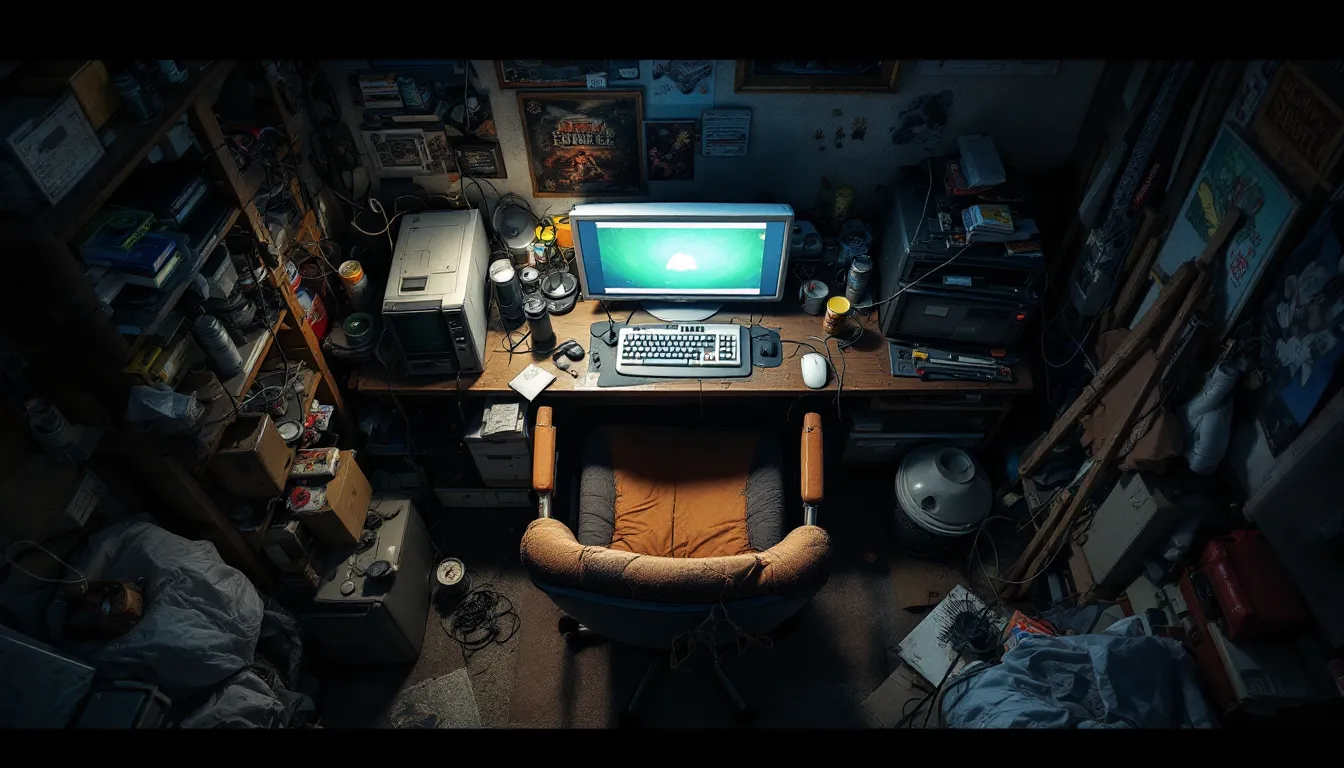

You know you’ve got a terrible gaming setup when you’re dying to input lag instead of enemy fire. Whether it’s a GPU struggling to push 30 FPS in a five-year-old title, a chair that feels like medieval torture, or a Wi-Fi connection that spikes harder than a horror game jumpscare, a bad setup doesn’t just hurt your KD ratio, it actively makes gaming miserable.
The worst part? Many gamers don’t realize how much their environment is holding them back until they finally upgrade or visit a friend’s properly configured rig. From ancient hardware to catastrophic cable management, poor choices compound fast. And in 2026, when even budget builds can deliver solid 1080p performance and ergonomic gear is more accessible than ever, there’s no excuse to suffer through a nightmare setup.
This guide breaks down the biggest gaming setup fails, why they matter for both performance and health, and how to identify, and fix, the red flags before they wreck your experience.
Key Takeaways
- A worst gaming setup fails across multiple categories—outdated hardware, poor ergonomics, low-quality displays, and network issues compound to sabotage both performance and physical health.
- Underpowered GPUs like the GTX 1050 Ti and insufficient RAM (8GB or single-channel) force constant compromises that no settings tweaking can fix.
- Input lag, neck strain, monitor glare, and Wi-Fi connectivity issues create measurable competitive handicaps, with worst gaming setup elements reducing reaction time by 20-40ms.
- Budget peripherals and cheap ergonomic setups don’t just hurt comfort—faulty mouse sensors, inconsistent keyboards, and poor chair support actively degrade gameplay and cause cumulative physical damage.
- Quick wins like updating drivers, enabling XMP in BIOS, running Ethernet instead of Wi-Fi, and adding bias lighting deliver immediate improvements without major expense.
- Long-term foundation investments—a 144Hz monitor, ergonomic office chair, quality headset, and modular PSU—prevent worst gaming setup scenarios and protect health while lasting across multiple builds.
What Makes a Gaming Setup Truly Terrible?
A gaming setup isn’t just about having a PC or console. It’s the sum of every component, every peripheral, and every environmental factor that touches your experience. When even one critical element fails, the whole ecosystem suffers.
The Core Components of a Bad Gaming Experience
The foundation of any gaming setup includes your processing hardware (CPU/GPU), display, input devices, audio gear, and the physical space where you sit. A terrible setup hits multiple failure points across these categories.
Hardware mismatches are common culprits, pairing a modern CPU with a GPU from 2016, or running 32GB of RAM but using a hard drive instead of an SSD. Peripheral compromises like membrane keyboards with inconsistent actuation or mice with failing sensors can sabotage your reaction time. Environmental neglect covers everything from zero cable management to a monitor positioned at neck-craning height.
The worst setups share a pattern: prioritizing the wrong elements. Dropping $200 on RGB strips while using a 60Hz monitor. Buying a high-end GPU but bottlenecking it with 8GB of slow RAM. Investing in a gaming chair but placing it at a desk that’s six inches too high.
Why Poor Setup Choices Impact Performance and Health
Performance degradation is obvious, low FPS, stuttering, input delay, screen tearing. But bad setups also cause cumulative physical damage. Poor posture from a cheap chair or wrong desk height leads to chronic back and neck pain. Eye strain from improper lighting or a low-quality display compounds over multi-hour sessions. Wrist issues develop from keyboards and mice at incorrect angles.
Mental fatigue hits harder than most gamers expect. Constant technical frustration, crashes from outdated drivers, lag spikes from Wi-Fi, audio cutting out, creates stress that bleeds into gameplay. Your focus splits between the actual game and compensating for hardware failures.
In competitive environments, a bad setup is a measurable handicap. Higher input lag means you’re reacting 20-40ms slower than opponents with proper hardware. Inconsistent framerates make tracking targets harder. Poor audio positioning hides directional cues that give away enemy locations. The difference between a 60Hz and 144Hz monitor isn’t subjective, it’s a tactical disadvantage you carry into every match.
Outdated or Underpowered Hardware Nightmares
Nothing defines a terrible gaming setup faster than hardware that can’t run the games you actually want to play. Legacy components and budget shortcuts create bottlenecks that no amount of settings tweaking can fix.
Ancient GPUs and CPUs That Can’t Keep Up
In 2026, GPUs like the GTX 1050 Ti or RX 560 are borderline unplayable for modern AAA titles. These cards struggle to maintain 30 FPS at 1080p low settings in current-gen games, forcing you into potato graphics that strip away visual clarity needed for competitive advantage.
CPUs from the Intel 6th/7th gen (i5-6500, i7-7700) or AMD’s first-gen Ryzen chips bottleneck even mid-tier GPUs now. Many new releases require at least 6-core processors for stable frametimes, and these older quad-cores produce stuttering even when average FPS looks acceptable.
The real nightmare scenarios involve systems running GTX 900-series cards or FX-series AMD processors, hardware so outdated it lacks driver support for recent DirectX features and game optimizations. You’re not just getting low performance: you’re fighting compatibility issues and missing graphical features entirely.
Insufficient RAM and Storage Bottlenecks
8GB of RAM was adequate five years ago. In 2026, it’s a disaster waiting to happen. Modern games routinely use 10-12GB during gameplay, and with Windows and background apps consuming 3-4GB, you’re constantly hitting page file swaps that cause massive stutter spikes.
Single-channel RAM configurations cut memory bandwidth in half, creating performance drops of 10-20% compared to dual-channel setups. It’s an invisible tax most budget builders don’t realize they’re paying.
Storage bottlenecks hit differently. Running games from a 5400 RPM hard drive means 2-3 minute load times, texture pop-in during gameplay, and stuttering when the game streams assets. SATA SSDs are the bare minimum now, NVMe drives have become standard for smooth open-world traversal and fast level transitions. Anything slower actively disrupts immersion.
Budget Peripherals That Break Your Gameplay
Cheap mice with faulty sensors cause pixel skipping and acceleration inconsistency. You think you’re adjusting your aim, but the cursor jumps unpredictably. Budget membrane keyboards suffer from key chatter (double inputs) and inconsistent actuation points that ruin timing-critical inputs in fighting games or precise movement in FPS titles.
Generic gaming headsets under $30 deliver muddy audio that masks footstep directionality and creates frequency imbalance, explosions drown out crucial voice comms. Controllers with stick drift or mushy face buttons create input errors that feel like your own mistakes until you test a quality alternative.
The worst part about peripheral failures is how they gaslight you into thinking you’re the problem. You question your aim, your reaction time, your skill, when it’s actually the $15 mouse with a dying sensor.
Ergonomic Disasters and Physical Discomfort
You can have top-tier hardware and still suffer through a nightmare setup if your physical environment is broken. Ergonomic failures don’t just hurt, they actively degrade performance over time.
The Wrong Chair: Back Pain and Posture Problems
Office depot clearance chairs and cheap racing-style gaming chairs are ergonomic disasters. Thin padding compresses into nothing after a few months. Non-adjustable armrests force your shoulders into unnatural positions. Weak lumbar support (or none at all) lets your spine collapse into a C-curve that creates chronic lower back pain.
Many budget gaming chairs use hard plastic bases that tilt forward, forcing you to brace yourself with your legs just to stay upright. After a two-hour session, your lower back is screaming and your hip flexors are locked up.
The nightmare scenario is a kitchen chair or folding chair used long-term. Zero lumbar support, seat height that doesn’t match desk height, no adjustability. Pro players and dedicated streamers using ergonomic setups consistently report better focus and endurance during marathon sessions, not because they’re tougher, but because they’re not fighting constant physical discomfort.
Terrible Desk Height and Monitor Placement
Standard dining tables sit at 29-30 inches, too high for most gamers. Your keyboard and mouse end up at shoulder height, forcing your arms into constant elevation that strains shoulders and creates wrist angle problems. The ideal desk height puts your elbows at 90-degree angles when your shoulders are relaxed.
Monitor placement fails come in multiple forms. Sitting too low forces you to look down, compressing neck vertebrae. Too high means constant upward gaze that strains eye muscles. Too far creates squinting and forward lean: too close causes eye fatigue from constant focal adjustment.
The single worst setup element is monitors sitting directly on desk surfaces without height adjustment. Most displays end up 4-6 inches too low, forcing a downward head tilt that compounds over time into neck and upper back pain.
Cramped Spaces and Poor Room Layout
Gaming in a closet-sized room with your desk shoved against a wall and your chair hitting your bed when you roll back is suffocating. You can’t stretch, can’t adjust position, can’t move your arms freely for large mouse movements required in low-sensitivity FPS play.
Poor ventilation in cramped spaces means heat buildup from your PC and your body creates a sauna effect that tanks concentration. Your hardware runs hotter too, potentially thermal throttling and reducing performance.
The worst layouts position your monitor facing a window, creating glare during daytime that forces you to crank brightness to uncomfortable levels or game with curtains closed in darkness.
Visual and Audio Setup Failures
Even high-end hardware means nothing if your display and audio chain are broken. These are the sensory interfaces between the game and your brain, when they fail, everything suffers.
Low-Quality Monitors with Horrible Refresh Rates
60Hz monitors are the bare minimum for casual gaming in 2026, but they’re categorically unsuitable for competitive play. The difference between 60Hz and 144Hz isn’t subtle, it’s 9ms vs 7ms of motion clarity, reduced motion blur, and smoother tracking of fast-moving targets.
Worse than low refresh is high response time panels. Budget monitors with 10-15ms gray-to-gray response create ghosting that leaves visual trails behind moving objects. Combined with 60Hz, you’re getting a blurry, laggy image that actively hides information.
TN panels with terrible viewing angles shift colors and contrast when you’re not looking dead-center, creating inconsistent image quality. Low contrast ratios (800:1 or worse) crush shadow detail, making dark areas in games look like solid black voids where enemies hide invisibly.
Monitors with poor color accuracy also matter more than casual gamers realize, washed-out reds make enemy outlines harder to spot, and incorrect gamma curves hide visual information in highlights and shadows. Testing from display technology experts consistently shows that panel quality impacts competitive performance measurably.
Lighting Issues That Strain Your Eyes
Gaming in complete darkness seems immersive until your eyes are burning after an hour. The contrast between a bright monitor and pitch-black surroundings forces constant pupil adjustment that creates eye strain and headaches.
Equally bad is harsh overhead lighting that creates glare and reflections on glossy monitor surfaces. You’re constantly fighting to see through your own reflection, and the bright ambient light washes out monitor contrast.
Bias lighting (LED strips behind the monitor) is the fix most budget setups skip. It reduces eye strain by minimizing contrast between screen and environment without creating glare. The lack of it is a small oversight that creates cumulative damage over years of gaming.
Cheap Headsets and Speaker Disasters
Budget gaming headsets compress audio into a muddy mess where footsteps, gunshots, and voice comms all occupy the same frequency range. You can’t distinguish directional audio cues that reveal enemy positions, everything sounds like it’s coming from “somewhere nearby.”
Fake surround sound through stereo drivers and software processing creates worse positional accuracy than honest stereo. The digital manipulation introduces latency and distortion that makes competitive audio positioning unreliable.
Desktop speakers without proper positioning or acoustic treatment bounce sound off walls and desk surfaces, creating phase cancellation and frequency imbalance. Bass rattles your desk, highs are piercing, and mids (where voice comms live) get lost.
The absolute worst audio setup is laptop speakers or TV speakers for gaming. Zero soundstage, compressed dynamic range, and frequency response so limited that audio cues simply don’t exist.
Internet and Connectivity Problems
Hardware and peripherals mean nothing when your connection to the server is broken. Network issues are the invisible killer of otherwise functional setups.
Wi-Fi Reliance and Lag Spikes
Relying on Wi-Fi for competitive gaming in 2026 is borderline inexcusable unless you’re on Wi-Fi 6E or 7 with a clear line of sight to the router. Standard Wi-Fi 5 on 2.4GHz creates packet loss, variable latency, and random lag spikes when interference hits from neighboring networks or household devices.
The nightmare scenario is a gaming PC two floors away from the router, passing through multiple walls and competing with smart home devices, streaming TVs, and family members on video calls. Your ping graph looks like a heart monitor during a panic attack, constant spikes from 30ms to 200ms that make competitive play impossible.
Wi-Fi adapters built into motherboards or cheap USB dongles add another failure point. Drivers crash, antennas lose signal strength, and interference from case fans or GPU power draw creates connectivity drops mid-match.
Ethernet isn’t optional for serious gaming, it’s foundational. Wired connections deliver consistent sub-5ms local network latency and eliminate packet loss from interference. The difference feels like playing on a different internet connection entirely.
Slow Internet Speeds and High Ping
Sub-50 Mbps download is workable for gaming itself, most online games use under 1 Mbps, but becomes a disaster when anyone else in your household streams 4K video or downloads updates. Your bandwidth gets choked, ping skyrockets, and packet loss creates rubber-banding.
Upload speed matters more than most realize. Streaming to Twitch or Discord while gaming needs at least 5-10 Mbps upload, and bargain ISP plans often cap at 5 Mbps total. Your outbound game data competes with stream encoding, creating latency spikes that feel like lag.
High baseline ping from poor routing or distance to servers is unfixable through local upgrades. Living in rural areas with only satellite or DSL options means 80-150ms ping to game servers, a permanent handicap in reaction-based competitive games where opponents on fiber are operating at 15-25ms.
Packet loss above 1% is catastrophic. It doesn’t just create lag, it causes desync between your client and server, resulting in shots that don’t register, movement that stutters, and deaths behind cover.
Cable Management and Clutter Chaos
Cable disasters are the visual manifestation of a setup that’s given up on itself. But beyond aesthetics, poor cable management creates real performance and safety issues.
Tangled Wires and Trip Hazards
A rat’s nest of cables behind your desk isn’t just ugly, it’s a functional nightmare. Power cables twisted with USB cables create electrical interference that can cause peripheral disconnects or audio buzz. HDMI and DisplayPort cables tangled with power strips risk accidental unplugging during tense moments.
Trip hazards from cables running across walkways are obvious safety fails, but the real problem is accidental yanking when you roll your chair or adjust position. You can rip a DisplayPort cable from your GPU, damage the port, or crash your PC mid-game.
The worst cable situations involve power strips daisy-chained together, creating fire hazards and voltage inconsistency that damages PSUs and causes random shutdowns. Or cables resting against hot exhaust fans and GPU backplates, slowly melting insulation.
Dust Buildup and Poor Ventilation
Cables piled behind your desk create dust traps that turn into insulation blankets over months. That dust gets pulled into PC intakes by case fans, clogging radiators and GPU heatsinks. Temperatures climb 10-15°C, forcing thermal throttling that tanks performance.
Poor ventilation from PCs shoved into desk cubbies or against walls blocks exhaust and intake, creating recirculation of hot air. Your CPU and GPU are fighting to cool themselves while breathing their own exhaust.
Dust buildup on monitor vents can cause backlight failures. On speakers, it clogs driver cones and reduces sound quality. The maintenance overhead from poor cable management and placement compounds into a slow degradation of your entire setup.
Software and Settings Oversights
Hardware gets all the attention, but software failures kill performance just as effectively. Many “underpowered” systems are actually just misconfigured.
Outdated Drivers and Operating Systems
Running GPU drivers from six months ago means missing game-specific optimizations that deliver 5-15% performance improvements. Nvidia and AMD release day-one drivers for major launches that fix crashes and boost FPS, skipping them is leaving free performance on the table.
Outdated Windows builds lack security patches and DirectX updates that newer games require. Running Windows 10 version 1909 when 22H2 is current creates compatibility issues and missing features that developers assume exist.
The nightmare scenario is systems running Windows 7 or 8.1 in 2026, operating systems without support for DirectX 12 Ultimate, modern security protocols, or driver updates from hardware vendors. You can’t even install many current games, much less run them properly.
Bloatware and Background Programs Killing Performance
Startup programs are silent performance killers. RGB software, update checkers, cloud sync clients, browser extensions that launch with Windows, each consumes 100-500 MB of RAM and background CPU cycles.
The worst offenders are antivirus suites that perform real-time scanning on game files, causing stutter when loading assets. Or Windows Search indexing running during gameplay, pegging CPU threads. Discord hardware acceleration and browser tabs left open eat VRAM and system RAM that games need.
Many budget prebuilts come loaded with vendor bloatware, trial antivirus, “system optimization” tools that do nothing, partner software nobody uses. Each piece chips away at available resources until your system feels sluggish even though adequate specs. Understanding which settings pro players optimize often reveals how much performance is lost to software overhead.
Real-World Examples of the Worst Gaming Setups
Theory is one thing. Let’s look at actual nightmare configurations that real gamers have suffered through.
The College Dorm Horror Story
Picture this: a gaming laptop from 2018 (GTX 1050, dual-core i5) sitting on a twin bed mattress, blocking the exhaust vents. The laptop runs at 95°C and thermal throttles after 15 minutes. The “desk” is a TV dinner tray with zero mouse space, forcing high sensitivity that ruins aim consistency.
Audio comes from laptop speakers because the roommate is asleep. The monitor is the 13-inch laptop screen positioned on the bed, forcing a hunched-over posture. Wi-Fi is shared across 40 students on the same floor, creating 200ms ping spikes during evening hours.
The room has fluorescent overhead lighting that creates glare on the glossy laptop screen, or it’s pitch black with zero ambient lighting. The chair is the bed itself or a wooden desk chair from 1987. Cable management is a laptop charger draped across the floor and a tangle of USB peripherals fighting for two USB ports via a $5 hub.
This setup checks every single failure box: overheating hardware, terrible ergonomics, broken network, awful display, zero acoustic quality, and physical discomfort.
The Budget Build Gone Wrong
A first-time builder on a $500 budget assembled a system with mismatched parts: a used i5-4460 (from 2014), 8GB of single-channel DDR3 RAM, a GTX 1650, and a 500W no-name PSU from Amazon.
The case is a $35 budget box with zero airflow and a single dying exhaust fan. The CPU uses the stock Intel cooler caked in dust from the previous owner. Thermal paste is seven years old and dried out. The motherboard is a basic H81 chipset with no features and dying VRMs.
Storage is a 250GB hard drive pulled from an old laptop, games take forever to load and stutter constantly. The monitor is a 900p TN panel from 2012 with 10ms response time and 60Hz. Peripherals are a $10 keyboard/mouse combo with mushy keys and a sensor that skips.
The PSU barely handles the power draw and causes random shutdowns under load. Drivers are six months outdated because the builder doesn’t know to update them. Windows is bloated with trials and preinstalled junk. The desk is a fold-out table that wobbles, and the chair is a kitchen stool.
The Console Gamer’s TV Placement Fail
A PS5 setup in a living room with the TV mounted 7 feet high above a fireplace. The viewing angle forces constant neck strain looking upward. The TV is a budget 55-inch with 100ms of input lag in “cinema” mode because game mode was never enabled.
The couch is 12 feet from the screen, making HUD elements and text barely readable. The DualSense controller connects via Bluetooth with occasional latency spikes. The TV speakers are active instead of headphones, creating zero positional audio and disturbing household members.
The PS5 sits inside a closed entertainment center with no ventilation, reaching thermal limits during demanding games. HDMI cable is a cheap Amazon Basics model that randomly drops out to black screen. The lighting in the room creates massive glare during daytime, and there’s no bias lighting at night.
Internet connection is Wi-Fi across two floors and through brick walls, creating 80ms ping in Warzone. Downloads max at 20 Mbps even though paying for 200 Mbps fiber because of Wi-Fi bottleneck. Storage is the base 825GB SSD with no expansion, forcing constant game deletions.
How to Fix and Upgrade a Terrible Gaming Setup
The good news: almost every setup failure has a fix. The better news: many don’t require throwing money at the problem immediately.
Prioritizing Upgrades on a Budget
Fix the bottlenecks first. If you’ve got a decent GPU but 8GB RAM, adding another 8GB stick (matching speed/timings) delivers immediate 1% low FPS improvements and stutter elimination for $25-40.
If you’re running games from a hard drive, a 512GB SATA SSD for $40-50 transforms load times and texture streaming. It’s the single highest impact-per-dollar upgrade for aging systems.
Network comes next. A 50-foot ethernet cable costs $15-20 and eliminates Wi-Fi latency and packet loss. If running cable isn’t possible, powerline adapters ($60-80 for a pair) are the compromise solution that still beats Wi-Fi.
Peripherals matter more than most budget builders realize. A $40-50 wired gaming mouse with a proper sensor (PixArt 3370 or better) eliminates pixel skipping and acceleration issues. A basic mechanical keyboard at $50-60 provides consistent actuation that improves input timing.
Ergonomics can be fixed cheaply. A $20-30 lumbar support pillow transforms a mediocre chair. A stack of books or monitor riser ($15-25) fixes screen height. A $10 LED strip behind your monitor adds bias lighting.
Quick Wins for Immediate Improvement
Update your GPU drivers right now. Visit Nvidia or AMD’s site, download the latest version, clean install. Do the same for motherboard chipset drivers.
Disable startup programs you don’t need. Open Task Manager > Startup tab, disable everything except essentials (audio drivers, GPU software). Reboot and reclaim 2-4GB of RAM.
Enable XMP/DOCP in BIOS to run your RAM at rated speeds instead of default 2133MHz. This is free performance sitting in settings.
Clean your PC. Compressed air through dust filters and heatsinks drops temps 5-10°C immediately. Better thermals mean less throttling.
Cable management takes an hour and costs nothing. Velcro ties ($8 for 50) or zip ties (basically free) route cables cleanly and eliminate desk clutter. It won’t boost FPS but it improves mental clarity.
Adjust monitor settings. Enable game mode to reduce input lag. Calibrate brightness (120-140 cd/m² is the target). Turn off motion smoothing and image enhancement that add latency.
Long-Term Investments Worth Making
When you have budget for real upgrades, prioritize foundation pieces that last across multiple builds:
A quality 1080p 144Hz monitor ($180-250) is a 5-7 year investment that transforms competitive gaming. High refresh matters more than resolution for most genres.
An ergonomic office chair (Steelcase Leap, Herman Miller Aeron refurbished at $300-500) lasts 10+ years and prevents chronic pain that costs thousands in medical care.
A modular PSU from Seasonic, Corsair RM/RMx, or EVGA SuperNOVA ($80-120 for 650-750W) outlives multiple builds and provides clean power that protects components.
Quality audio, either proper studio headphones (Sennheiser HD 560S, Beyerdynamic DT 770) with a separate mic, or a mid-tier gaming headset (SteelSeries Arctis, HyperX Cloud) at $80-150. Good audio is a competitive advantage in every game with positional sound.
Desk and chair ergonomics are health investments. A proper height-adjustable desk ($200-400) and ergonomic chair prevent injuries that compound over years of daily gaming sessions.
Conclusion
The worst gaming setups aren’t just about having cheap hardware, they’re the result of compounding poor decisions across hardware, peripherals, environment, and software. An ancient GPU matters less if you’re also fighting Wi-Fi lag, sitting in a broken chair, staring at a 60Hz monitor with glare, and running outdated drivers.
The good news is that most failures are fixable without rebuilding from scratch. Identify your biggest bottlenecks first, prioritize upgrades that deliver immediate quality-of-life improvements, and understand that a functional setup beats a flashy one every time. Your K/D ratio, win rate, and physical health will all improve once you stop fighting your own equipment.
In 2026, there’s no excuse to suffer through a nightmare setup. Budget options exist for every component category, and knowledge is free. Fix the failures, upgrade strategically, and actually enjoy gaming instead of enduring it.