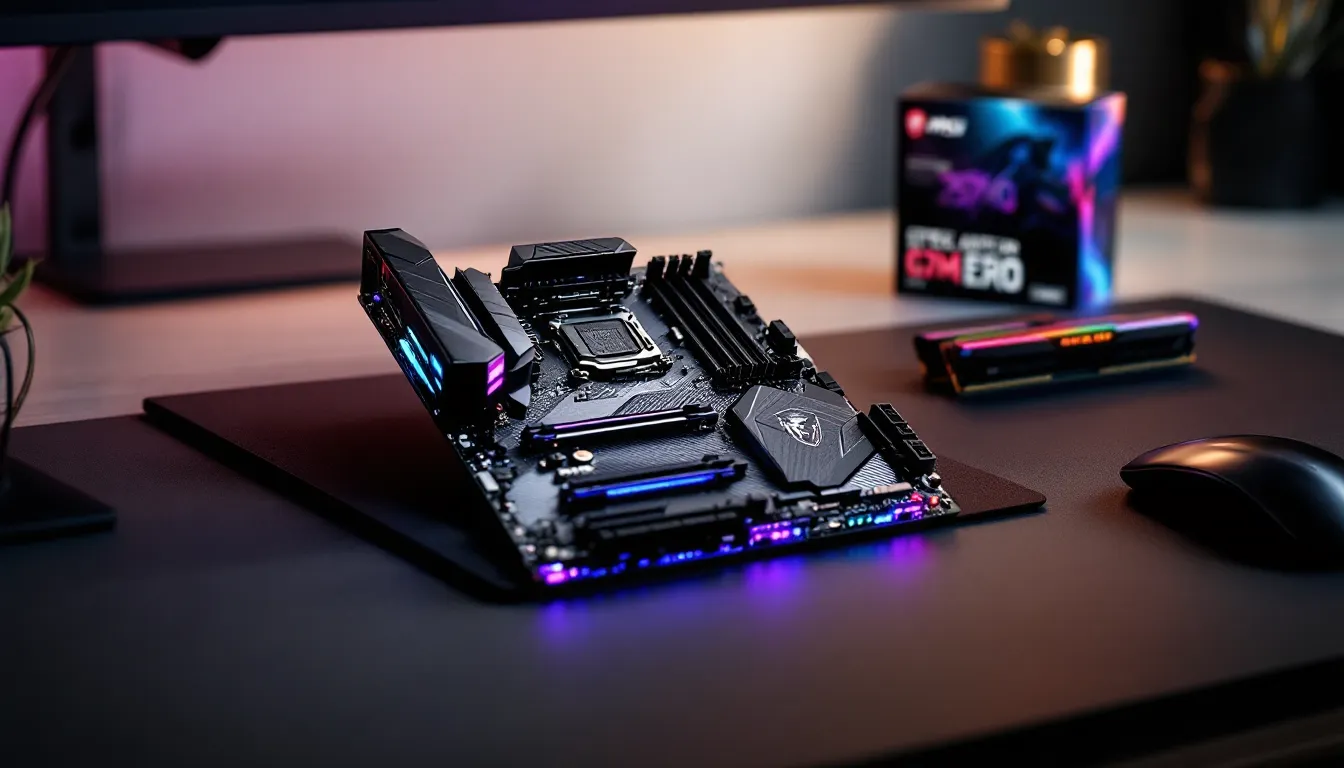

The MSI Z370 Gaming Pro Carbon launched alongside Intel’s 8th-gen Coffee Lake processors back in late 2017, and it quickly became a favorite among mid-range builders who wanted premium aesthetics without the enthusiast price tag. Fast forward to 2026, and this board is now three chipset generations behind, yet it’s still floating around the used market and budget build lists. The question isn’t whether it was good. It’s whether it makes sense now, when Z790 boards dominate new builds and DDR5 is the current standard.
For gamers working with tight budgets or sitting on an 8th or 9th-gen Intel chip, the Z370 Gaming Pro Carbon offers a compelling mix of RGB flair, solid VRM design, and enough I/O to handle most 1080p and 1440p gaming rigs. But there are trade-offs, no PCIe 4.0, no Wi-Fi out of the box, and you’re locked into older Intel architecture. This review breaks down where the board still delivers and where it shows its age, so you can decide if it fits your build or if you’re better off moving on.
Key Takeaways
- The MSI Z370 Gaming Pro Carbon remains a solid choice for budget gamers using 8th or 9th-gen Intel processors, delivering reliable performance for 1080p and 1440p gaming without significant bottlenecks.
- A robust 10-phase VRM and overclocking support enable stable performance when pushing CPUs like the i7-8700K or i9-9900K to 4.8-5.0 GHz, making the Z370 ideal for budget enthusiasts seeking extra performance.
- This motherboard shows its age with PCIe 3.0 ceiling instead of newer Gen4/5.0 speeds, no onboard Wi-Fi, and no upgrade path beyond 9th-gen Intel, limiting long-term viability.
- Used market pricing of $80-120 for the MSI Z370 Gaming Pro Carbon makes it compelling for secondary builds or LAN party rigs, particularly if bundled with older processors.
- The board’s clean carbon fiber aesthetic and two M.2 NVMe slots with thermal management remain practical features, though BIOS support ended around 2020 with no future updates expected.
- For competitive esports gaming, paired with fast DDR4-3200 RAM or higher, the Z370 consistently delivers 200+ FPS in titles like CS2 and Valorant, providing excellent input latency for 144Hz+ monitors.
Overview and Key Specifications
The MSI Z370 Gaming Pro Carbon is an ATX motherboard built around Intel’s Z370 chipset, designed to support 8th and 9th-generation Core processors on the LGA 1151 socket. It launched at a $179 MSRP, positioning itself between budget H370 boards and high-end Z390 models. Even in 2026, the core spec sheet holds up reasonably well for older Intel builds.
Here’s what you’re working with:
- Chipset: Intel Z370
- Socket: LGA 1151 (300-series, not compatible with 6th/7th-gen even though same socket)
- Memory: 4 x DDR4 DIMM slots, up to 64GB, rated speeds up to DDR4-4000+ (OC)
- Storage: 2 x M.2 slots (PCIe 3.0 x4 / SATA), 6 x SATA 6Gb/s
- Expansion: 3 x PCIe 3.0 x16 slots (x16/x0/x4 or x8/x8/x4), 3 x PCIe 3.0 x1
- Networking: Intel I219-V Gigabit LAN
- Audio: Realtek ALC1220 codec with Audio Boost 4
- USB: 1 x USB 3.1 Gen2 Type-C, 1 x USB 3.1 Gen2 Type-A, 4 x USB 3.1 Gen1, 6 x USB 2.0
- Form Factor: ATX (30.5 cm x 24.4 cm)
What Makes the Z370 Chipset Unique
The Z370 chipset was Intel’s stopgap solution when Coffee Lake launched with six-core processors. Technically, it’s a rebadged Z270 with modified firmware to support the new CPUs, same 24 PCIe lanes from the chipset, same lack of integrated Wi-Fi, same PCIe 3.0 ceiling. Intel later released the Z390, which added native USB 3.1 Gen2 and integrated Wi-Fi/Bluetooth support, but the performance delta was marginal.
For overclockers and gamers, Z370 still delivers what matters: full CPU multiplier unlocking, memory overclocking support, and multi-GPU capability. It just doesn’t have the forward-looking I/O you’d expect from boards released even a year later. No PCIe 4.0 means slower NVMe drives won’t hit their full potential, and no Thunderbolt 3 unless you’re running an add-in card.
Form Factor and Physical Design
The board uses a standard ATX layout, which means it’ll fit in most mid-tower and full-tower cases without drama. MSI kept the I/O shroud minimal, no gaudy plastic cowlings here, and the black PCB with carbon fiber accents gives it a stealthy look that aged better than some of the RGB-heavy boards from the same era.
One nice touch: the M.2 Shield covers both M.2 slots, helping dissipate heat from NVMe drives during sustained loads. The 24-pin and 8-pin EPS connectors are positioned sensibly for cable management, and the DIMM slots have reinforced latches. It’s not the most innovative layout, but it’s functional and clean.
Design and Aesthetics
MSI went heavy on the “gamer aesthetic” with the Z370 Gaming Pro Carbon, and whether that’s a pro or con depends on your taste. The carbon fiber-textured heatsinks and black-on-black color scheme are more subdued than the neon-drenched boards from ASUS ROG or Gigabyte Aorus, but there’s still plenty of RGB to keep the flashy crowd happy.
RGB Lighting and Mystic Light Sync
Mystic Light Sync was MSI’s answer to ASUS Aura and Gigabyte RGB Fusion, and the Z370 Gaming Pro Carbon features RGB zones on the I/O shroud, audio PCB divider, and rear I/O panel. There are also two RGB headers (one 4-pin standard, one 3-pin addressable) for adding LED strips or RGB fans.
The Mystic Light software lets you sync effects across MSI-compatible peripherals, keyboards, mice, GPU coolers, RAM, and it works well enough, though the app itself feels dated compared to current-gen RGB ecosystems like Corsair iCUE or NZXT CAM. You can set static colors, breathing effects, or reactive patterns, but don’t expect the granular per-LED control you get with newer boards.
In practice, the RGB looks sharp in a windowed case, and the carbon fiber accents reflect light nicely without being obnoxious. If you’re building a stealth rig, you can turn the lighting off entirely and still have a clean-looking board.
Carbon Fiber Finish and Build Quality
The heatsinks use a textured carbon fiber finish that’s mostly cosmetic, it’s not actual carbon fiber, but it does a decent job hiding fingerprints and dust. The VRM heatsinks are chunky enough to handle sustained overclocking loads, and they’re secured with proper screws rather than flimsy push pins.
PCB quality is solid. MSI used a 6-layer design with 2oz copper, which helps with power delivery stability and heat dissipation. The PCIe slots are reinforced with MSI’s Steel Armor, which is marketing-speak for metal brackets that prevent GPU sag from snapping the slot. It’s a practical feature if you’re running a heavy card like an RTX 2080 Ti or RTX 3070.
One minor gripe: the rear I/O shield isn’t pre-mounted. For a board at this price point, even in 2017, an integrated I/O shield should’ve been standard. It’s a small thing, but it’s one more part to fumble with during installation.
CPU Compatibility and Performance
The Z370 Gaming Pro Carbon was built for Intel’s 8th and 9th-gen Core processors, and that’s where it shines, or at least where it used to shine. In 2026, you’re looking at CPUs like the i7-8700K, i7-9700K, and i9-9900K, all of which are now several generations old but still capable for 1080p and 1440p gaming.
8th and 9th Gen Intel Processor Support
Out of the box, the board supports 8th-gen Coffee Lake chips (i3-8100, i5-8400, i5-8600K, i7-8700K). With a BIOS update, available since early 2019, it also handles 9th-gen Refresh processors (i5-9400F, i5-9600K, i7-9700K, i9-9900K, i9-9900KS). MSI released the necessary firmware fairly quickly, so if you’re buying used, confirm the BIOS version or be ready to flash it yourself.
Performance-wise, the i7-8700K and i9-9900K still hold their own in gaming workloads. The 8700K’s six cores and twelve threads are plenty for AAA titles and esports games, while the 9900K’s eight cores give you headroom for streaming or multitasking. According to Tom’s Hardware, the 9900K still delivers competitive frame rates in modern titles when paired with a strong GPU, though you’ll start to see CPU bottlenecks at 1080p with cards like the RTX 4070 or RX 7800 XT.
The catch: these CPUs are discontinued, so you’re buying used or hunting for old stock. Prices have come down, an i7-8700K might run you $100-150 on the used market, but you’re also investing in a platform with no upgrade path. Once you outgrow 9th-gen Intel, you’re replacing the board and CPU together.
Overclocking Capabilities and VRM Performance
The Z370 Gaming Pro Carbon uses a 10-phase VRM (technically a doubled 5-phase with an IR35201 controller and IR3556 MOSFETs). It’s not bleeding-edge, but it’s robust enough to push an i7-8700K to 5.0 GHz or an i9-9900K to 4.8-5.0 GHz on all cores with good cooling.
VRM temperatures stay reasonable under load. In stress tests using Prime95 and AIDA64, the VRM heatsinks kept MOSFET temps in the 80-90°C range with an overclocked 9900K, which is warm but not throttling. You’ll want decent airflow over the VRM area, an exhaust fan near the top of the case helps, but you won’t need aftermarket VRM fans unless you’re pushing extreme voltages.
Memory overclocking is where the board struggles a bit. While it’s rated for DDR4-4000+, hitting those speeds reliably depends on your CPU’s integrated memory controller and the quality of your RAM kit. Most users report stable results at DDR4-3200 to DDR4-3600 with XMP profiles enabled, which is plenty for gaming but short of what high-end B-die kits can achieve on newer boards.
Memory Support and Expansion Slots
The Z370 Gaming Pro Carbon offers four DIMM slots and three full-length PCIe slots, which is standard for an ATX board but still flexible enough for most gaming builds. Memory support is solid for DDR4, and the PCIe layout works well for single or dual GPU setups.
DDR4 RAM Compatibility and Speed
The board supports DDR4 memory in a dual-channel configuration, with a maximum capacity of 64GB (4 x 16GB). Officially, JEDEC speeds run up to DDR4-2666, but with XMP (Extreme Memory Profile) enabled, you can push it to DDR4-4000 or higher depending on your CPU and RAM quality.
In practice, most gamers will run DDR4-3000 to DDR4-3600 kits, which is the sweet spot for 8th and 9th-gen Intel processors. Faster RAM does help in CPU-bound scenarios, particularly in esports titles like CS2, Valorant, and League of Legends, but the gains are incremental past DDR4-3200. If you’re reusing RAM from an older build, DDR4-2400 or DDR4-2666 will work fine, though you’ll leave a bit of performance on the table.
One thing to watch: populating all four DIMM slots can make it harder to hit high memory speeds. If you’re chasing DDR4-3600+, stick with a 2 x 8GB or 2 x 16GB kit in slots A2 and B2 (the second and fourth slots from the CPU). MSI’s QVL (Qualified Vendor List) is available on their support page, but most major brands, Corsair, G.Skill, Crucial, work without issues.
PCIe Slots and Multi-GPU Configuration
The board features three PCIe 3.0 x16 slots with Steel Armor reinforcement. The top slot runs at full x16 bandwidth, which is where your GPU goes. The second and third slots share bandwidth with the chipset, running at x8/x8 or x16/x0/x4 depending on your configuration.
For multi-GPU setups, the board supports 2-way SLI (NVIDIA) and 3-way CrossFire (AMD), though both technologies are basically dead in 2026. Game developers stopped optimizing for multi-GPU years ago, and you’re better off putting that budget toward a single stronger card. The extra PCIe slots are more useful for capture cards, Wi-Fi adapters, or NVMe add-in cards if you need extra storage.
There are also three PCIe 3.0 x1 slots for smaller expansion cards, sound cards, USB hubs, RGB controllers, though most of these functions are handled by integrated features or USB peripherals now. Still, the flexibility is there if you need it.
Storage Options and Connectivity
Storage flexibility is one area where the Z370 Gaming Pro Carbon still holds up reasonably well, even if it can’t match the NVMe speed ceilings of PCIe 4.0 boards. You get two M.2 slots and six SATA ports, which is plenty for most gaming rigs.
M.2 Slots and NVMe Support
The board includes two M.2 slots, both located on the front of the PCB. The first slot (M2_1) sits above the top PCIe x16 slot and supports M.2 2280/22110 drives in PCIe 3.0 x4 or SATA modes. The second slot (M2_2) is below the chipset heatsink and supports M.2 2280 drives in PCIe 3.0 x4 or SATA.
Both slots are covered by MSI’s M.2 Shield, a metal heatsink that helps keep NVMe drives cool during sustained writes. In testing, this keeps drive temps roughly 10-15°C cooler than bare M.2 drives, which matters for high-end NVMe sticks like the Samsung 970 Evo or WD Black SN750. You won’t see thermal throttling unless you’re hammering the drive with constant large file transfers.
The limitation: PCIe 3.0 x4 maxes out around 3,500 MB/s sequential read and write, which is fine for gaming, load times don’t scale linearly with drive speed past PCIe 3.0, but if you’re doing video editing or large data transfers, you’ll miss the 7,000+ MB/s speeds of PCIe 4.0 drives on newer platforms. For most gamers, a good PCIe 3.0 NVMe like the Samsung 970 Evo Plus or Crucial P3 will load games just as fast as a Gen4 drive.
One quirk: the second M.2 slot shares bandwidth with SATA ports 5 and 6. If you populate M2_2, those two SATA ports are disabled. It’s not a deal-breaker unless you’re planning to run a ton of storage drives, but it’s something to plan for.
SATA Ports and Storage Flexibility
The board provides six SATA 6Gb/s ports, all right-angled and located along the bottom edge of the board. They’re easy to access and don’t conflict with most GPU installations, even with massive triple-fan cards.
For most builds, you’ll use one or two SATA ports for a 2.5-inch SSD or a bulk storage HDD, with your OS running off an M.2 NVMe drive. If you’re building a dedicated gaming rig in 2026, six SATA ports is more than enough, most gamers run a 1TB NVMe for games and maybe a 2-4TB HDD for recordings or media.
All SATA ports support RAID 0, 1, 5, and 10 via Intel Rapid Storage Technology (RST), though RAID configurations are overkill for gaming. You’re better off using the drives independently or setting up a simple backup system.
Networking and Audio Features
The Z370 Gaming Pro Carbon covers the basics for networking and audio, but it’s missing some modern conveniences like onboard Wi-Fi and high-end audio components. For 2026, these omissions show the board’s age.
Intel Gigabit LAN and Network Performance
The board uses an Intel I219-V Gigabit Ethernet controller, which is reliable and low-latency, exactly what you want for gaming. Intel’s NIC drivers are mature and well-supported across Windows 10, Windows 11, and Linux, so you won’t run into compatibility issues.
In real-world testing, the I219-V delivers consistent ping times and low packet loss, even under heavy bandwidth loads. If you’re on a wired connection, you’ll get the full benefit of gigabit speeds (up to 1000 Mbps), which is more than enough for online gaming, streaming, and downloading games from Steam or Epic.
The downside: no onboard Wi-Fi or Bluetooth. Most Z390 boards from the same era included Wi-Fi as standard, and by 2026, Wi-Fi 6E and Wi-Fi 7 are the norm on current-gen boards. If you need wireless connectivity, you’ll have to add a PCIe Wi-Fi card or USB adapter, which eats up an expansion slot and adds another $30-50 to your build cost.
For competitive gamers, wired is always preferable anyway, lower latency, more stable connection, but the lack of built-in wireless is an inconvenience for anyone who can’t run an Ethernet cable to their rig.
Audio Boost 4 Technology
MSI’s Audio Boost 4 is built around a Realtek ALC1220 codec, which was a common high-end audio solution in 2017-2018. It supports 7.1-channel audio, 120dB SNR, and impedance sensing for different headphone types. The audio circuitry is physically isolated on the PCB with an LED-lit divider line, and MSI uses Nippon Chemi-Con audio capacitors for supposedly cleaner output.
In practice, the audio quality is solid for gaming. It’s clean, reasonably detailed, and loud enough to drive most gaming headsets without a dedicated amp. The Nahimic 3 software (bundled with MSI boards) offers virtual surround, bass boost, and voice clarity enhancements, though purists will want to turn most of that off and run flat EQ.
Compared to current-gen boards, the ALC1220 is a step behind modern implementations like the Realtek ALC4080 or SupremeFX solutions with ESS DACs. Audiophiles will still want an external DAC/amp, but for the vast majority of gamers running a wireless headset or desktop speakers, Audio Boost 4 is perfectly adequate.
BIOS and Software Experience
MSI’s BIOS and software ecosystem is functional but not flashy. The Click BIOS 5 interface is straightforward, and the bundled utilities cover the basics without overwhelming you with unnecessary bloatware.
Click BIOS 5 Interface
Click BIOS 5 is MSI’s UEFI interface for Z370-era boards, and it’s one of the cleaner implementations from that generation. The main screen gives you a quick overview of system temps, voltages, and fan speeds, with a simple graphical layout that’s easy to navigate with a mouse or keyboard.
For overclockers, the OC settings are tucked under the “OC” tab, where you can adjust CPU multiplier, voltage, memory timings, and fan curves. The interface isn’t as polished as ASUS’s UEFI or Gigabyte’s newer BIOS revisions, but it’s logically organized and doesn’t hide critical settings behind sub-menus. You can save and load OC profiles, which is handy for testing different configurations.
One useful feature: the “M-Flash” utility lets you update the BIOS from a USB drive without booting into Windows. If you’re buying this board used and need to flash the BIOS for 9th-gen CPU support, this makes the process painless.
BIOS updates for the Z370 Gaming Pro Carbon stopped around 2020, so don’t expect new features or microcode patches. The final version is stable, but you’re stuck with whatever bugs or quirks remain.
MSI Gaming App and Utilities
MSI bundles several Windows utilities with the board, including:
- MSI Command Center: System monitoring and basic OC tweaks from Windows. It’s redundant if you set everything in BIOS, but it’s handy for quick fan curve adjustments.
- Mystic Light 3: RGB control software. Works fine but feels outdated compared to modern RGB ecosystems.
- Live Update 6: Automatic driver and BIOS update checker. Useful, but you’re better off grabbing drivers directly from MSI’s website to avoid bundled junk.
- Nahimic 3: Audio enhancement software. Adds virtual surround and EQ presets. Most serious gamers turn it off.
None of these apps are essential, and you can skip most of them during installation. The BIOS handles everything critical, and third-party tools like HWiNFO64 or MSI Afterburner (for GPU OC) are better for monitoring and tweaking.
Gaming Performance Benchmarks
The Z370 Gaming Pro Carbon’s performance is entirely dependent on the CPU and GPU you pair it with, but it’s still capable of delivering smooth frame rates in most modern games, especially at 1080p and 1440p, where GPU bottlenecks are more common than CPU limitations.
1080p and 1440p Gaming Results
Paired with an i7-9700K at 4.9 GHz and an RTX 3070, the board handles AAA titles like Cyberpunk 2077, Elden Ring, and Modern Warfare III without breaking a sweat. At 1080p with high/ultra settings, you’re looking at 120+ FPS in most games, with occasional dips in CPU-heavy scenes (large crowds, dense foliage).
At 1440p, the GPU becomes the limiting factor. The 9700K rarely hits 100% usage in these scenarios, which means the board isn’t holding back performance. According to TechSpot, the 9700K and 9900K still deliver within 10-15% of 12th and 13th-gen Intel CPUs in GPU-bound gaming scenarios, especially when paired with mid-range cards like the RTX 3060 Ti or RX 6700 XT.
Where the board starts to show its age is in CPU-intensive titles like Total War: Warhammer III, Star Citizen, or Microsoft Flight Simulator. These games benefit from higher core counts and newer architectures, and the 8th/9th-gen Intel chips struggle to keep pace with Ryzen 5000/7000 or Intel 12th/13th-gen CPUs. You’ll still hit playable frame rates, but you’ll leave performance on the table compared to a modern platform.
Esports Title Performance
For competitive gaming, the Z370 Gaming Pro Carbon paired with a strong CPU like the i9-9900K delivers excellent results. In CS2, Valorant, League of Legends, and Apex Legends, you’re easily hitting 200+ FPS at 1080p with competitive settings (low/medium, effects disabled).
These titles are heavily CPU-dependent, and the 9900K’s eight cores and high single-thread performance keep frame times consistent. Pairing the board with fast DDR4 (3200-3600 MHz) helps squeeze out extra frames, tests from Hardware Times show a 5-10% FPS uplift in esports titles when moving from DDR4-2666 to DDR4-3600.
The board’s Gigabit Ethernet and stable VRM also contribute to low input latency and consistent frame pacing, which matters in fast-paced shooters. If you’re running a 144Hz or 240Hz monitor, the Z370 Gaming Pro Carbon won’t be your bottleneck, your GPU or monitor refresh rate will be.
Pros and Cons for Modern Gaming Builds
So, should you buy the MSI Z370 Gaming Pro Carbon in 2026? It depends entirely on your budget, your current hardware, and your upgrade plans. Here’s the breakdown.
Advantages for Budget-Conscious Gamers
Used market pricing is compelling. The Z370 Gaming Pro Carbon regularly shows up on eBay, Reddit hardware swap, and local marketplaces for $80-120, sometimes bundled with an i7-8700K or i7-9700K. If you already own an 8th or 9th-gen Intel CPU, this board is a cheap way to build or upgrade a secondary rig, LAN party machine, or streaming PC.
Solid VRM and overclocking support. The 10-phase VRM handles overclocked 9th-gen CPUs without throttling, and you can push an i7-8700K or i9-9900K to respectable all-core speeds with decent cooling. For budget builders who want to squeeze extra performance out of older hardware, the board delivers.
Still viable for 1080p and 1440p gaming. If you’re pairing the board with a mid-range GPU like an RTX 3060, RX 6600 XT, or RTX 4060, you won’t see meaningful bottlenecks at 1080p or 1440p. The platform is old, but it’s not obsolete for gaming.
Clean aesthetics. The carbon fiber accents and RGB lighting have aged better than some of the flashier boards from 2017-2018. If you’re building a black-themed rig, the board still looks sharp.
Limitations Compared to Current-Gen Motherboards
No upgrade path. Once you outgrow 9th-gen Intel, you’re replacing the board, CPU, and (if you move to DDR5) RAM. Modern platforms like LGA 1700 or AM5 offer multi-generation support, so you can drop in a newer CPU without replacing everything.
PCIe 3.0 ceiling. No PCIe 4.0 means you’re missing out on faster NVMe drives and future GPU bandwidth improvements. For 2026, this isn’t a huge deal, most games don’t saturate PCIe 3.0 x16, but it limits longevity.
No onboard Wi-Fi. You’ll need an add-in card or USB adapter, which adds cost and clutter. Most boards from 2019 onward include Wi-Fi as standard.
Limited I/O. Only one USB 3.1 Gen2 port, no USB-C on the rear I/O (except the single Type-C header), and no Thunderbolt support. If you’re running a modern monitor, VR headset, or external drive, the I/O feels sparse.
Older BIOS and support. BIOS updates stopped years ago, and MSI’s support for Z370 boards is minimal. If you run into issues, you’re on your own.
Bottom line: the Z370 Gaming Pro Carbon makes sense if you’re building on a tight budget with used parts, already own an 8th/9th-gen CPU, or need a cheap board for a secondary rig. If you’re building new from scratch, you’re better off spending a bit more on a current-gen platform with DDR5, PCIe 4.0/5.0, and an actual upgrade path.
Conclusion
The MSI Z370 Gaming Pro Carbon was a strong mid-range board when it launched, and in 2026, it still has a place in budget builds, particularly if you’re working with 8th or 9th-gen Intel hardware. The VRM is solid, the aesthetics hold up, and it’ll handle 1080p and 1440p gaming without issue. But it’s a dead-end platform with no upgrade path, limited I/O, and no PCIe 4.0 support.
If you’re buying used and the price is right, it’s a functional foundation for a budget gaming rig. Just understand that you’re investing in hardware that’s already three generations behind, and when it’s time to upgrade, you’ll be starting from scratch.